



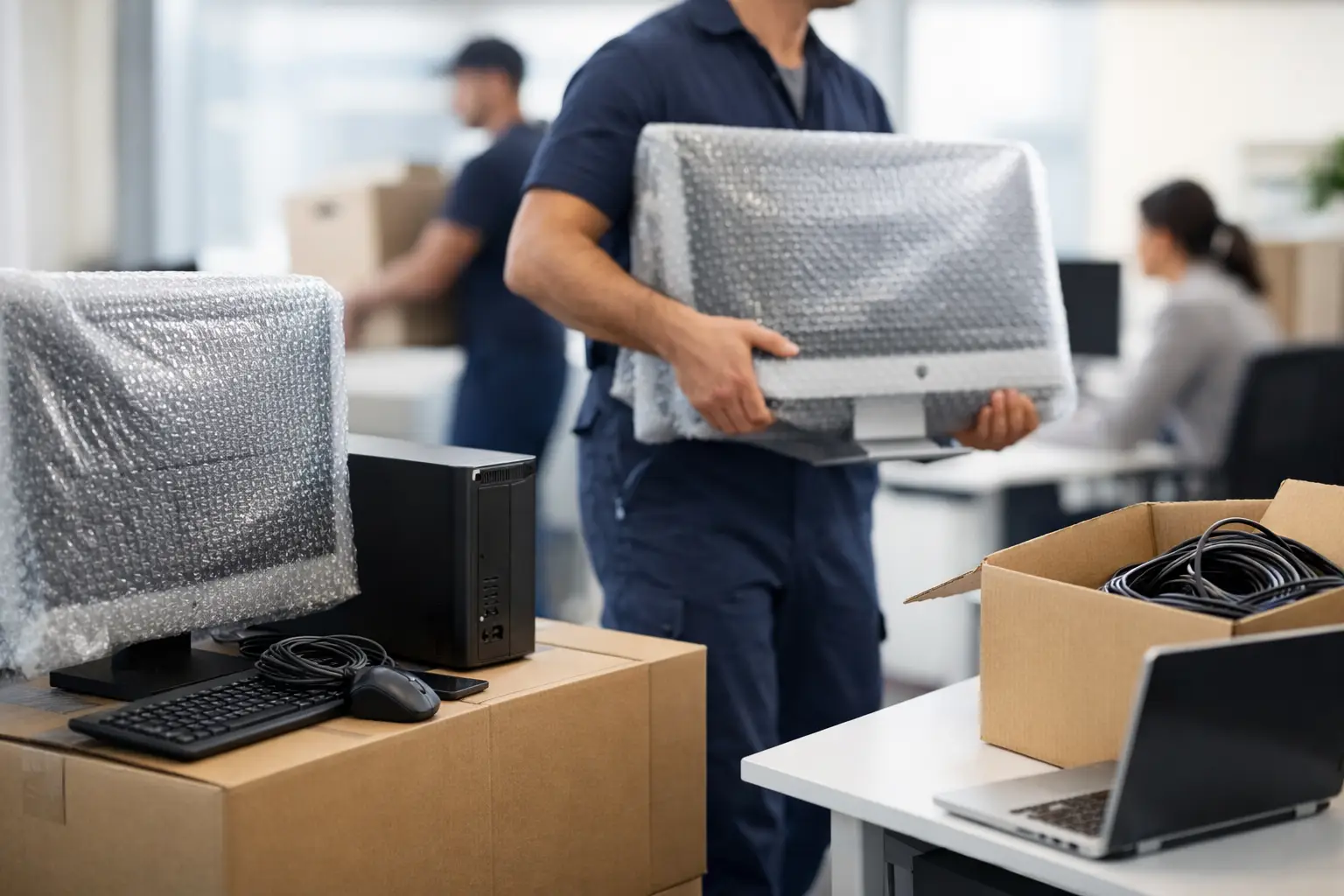
A desk, monitor and keyboard may look straightforward to pack, but an office PC is part of a working system. When you move office computers, the real risk is not just a cracked screen or missing cable. It is lost access to files, interrupted phones, unproductive staff and a new workspace that is not ready when business opens.
A well-run office move treats technology as a priority workstream, not an item to deal with after the furniture arrives. The goal is clear: protect equipment, preserve data and have your team operating again as quickly as possible.
Start with a computer and equipment audit
Before anything is disconnected, create a simple inventory of every device moving to the new premises. Include desktop towers, laptops, monitors, docks, keyboards, mice, printers, scanners, network hardware, headsets, cables and power boards. Record the assigned staff member, serial number, destination desk or room, and any special setup requirements.
This does not need to become a complicated spreadsheet project. It does need to be accurate. A labelled monitor is much easier to reunite with its docking station and power cable than one of 40 identical screens in a stack.
Photograph the back of more complex workstations before cables are removed. This is particularly useful for reception desks, finance teams, meeting rooms and multi-monitor setups. A quick photo gives your IT provider or staff a reliable reference when reconnecting equipment.
Decide what should not travel
An office move is a practical chance to remove equipment that is no longer useful. Old monitors, broken keyboards, redundant desktop towers and tangled cables take up vehicle space and create confusion at the other end.
Separate working assets from items for recycling, donation or secure disposal. For old computers and storage devices, make sure data is wiped correctly before they leave your control. Throwing hard drives into general rubbish is not a business disposal plan.
Protect data before you move office computers
Physical packing matters, but data protection comes first. Confirm that essential files are backed up and can be restored. If your business uses cloud systems, check that staff can access the accounts and passwords they need from another device if required.
For businesses running local servers, network-attached storage or on-site backup drives, involve your IT provider early. These items may require a controlled shutdown, specific packing methods and a defined restart process. The right approach depends on the system, its size and whether your new office has network services ready.
Keep sensitive information secure throughout the move. Laptops, portable hard drives and devices containing client records should not be left unattended in corridors, lifts or loading areas. Assign responsibility for these assets, record who has them and confirm their delivery at the new site.
A useful rule is simple: if losing an item would create a security issue or stop your business operating, it should have a named person responsible for it.
Label every item for the new office
Labelling is what turns a pile of boxes into an organised relocation. Use labels that identify the employee or department, the destination room, desk number and item type. For example: “Accounts – Desk A12 – Monitor 1 of 2”.
Avoid writing passwords, confidential details or device access codes on boxes. Keep that information with your IT team or in your secure password management system.
Cables need the same care as the devices. Bundle each workstation’s cables together, label them clearly and place them in a sealed bag or small carton. Where possible, pack that bag with the relevant computer or monitor. This avoids the familiar first-day problem of having 30 power leads but no idea which workstation they belong to.
For shared equipment, label the destination rather than a person. A meeting-room video unit, for instance, should be marked for its exact room at the new premises. That makes placement faster and reduces unnecessary handling.
Pack computers for transport, not storage
Computer equipment is vulnerable to impact, pressure and moisture. Original packaging is ideal where it is available, especially for monitors and specialist equipment. If it is not available, use sturdy cartons, quality packing materials and enough internal protection to stop items shifting in transit.
Desktop computers should be powered down fully, unplugged and packed upright where possible. Avoid stacking heavy cartons on top of them. Monitors should travel vertically, with protective material around the screen and corners. Never use the screen as a surface for other equipment.
Laptops are more portable, but they are not risk-free. Staff can take them home or carry them personally if that supports business continuity and your security policy. If laptops travel with the removal load, pack them separately from heavy items and make sure they are accounted for at delivery.
Printers need extra attention. Remove loose paper, secure trays and follow the manufacturer’s requirements for ink or toner. Large multifunction printers can be awkward, heavy and sensitive to incorrect handling, so it is worth planning access, lifting requirements and placement before moving day.
Coordinate IT, building access and movers
The best packing plan can still fail if the new office has no working internet, insufficient power or restricted access. Confirm the practical details before the move date: loading dock booking, lift access, parking arrangements, after-hours access, stairwells, building management rules and where vehicles can safely stop.
Your IT provider should confirm when internet services, Wi-Fi, phone systems and network cabling will be active. If services cannot be ready on day one, consider temporary options such as mobile hotspots or a staged return for teams that depend on reliable connectivity.
Give your removal team a clear floor plan and instructions for each department, office and meeting room. This is especially valuable in Melbourne CBD buildings, where loading zones, lift bookings and access windows can be strict. Direct delivery to the correct room saves your staff from shifting heavy boxes and equipment again after the movers leave.
Blaze Removals can coordinate the physical side of an office relocation, including careful packing, transport, furniture placement and handling of bulky office items. Your internal team or IT provider remains responsible for disconnecting and reconnecting technical systems unless other arrangements have been confirmed.
Use a staged move when downtime is costly
Not every business should move everything in one day. If your phones, customer support, bookings or operations must stay live, a staged move may be the safer option. Move non-essential departments, archived files and spare furniture first, then relocate core workstations once the new site has been tested.
The trade-off is that staged moves can take more coordination and may involve additional handling. For businesses where a full day offline costs more than the extra planning, it is usually the better decision.
Another option is a weekend or after-hours relocation. This can reduce disruption for staff and customers, but access arrangements, building approvals and service availability need to be locked in well ahead of time.
Test before staff arrive
Do not wait until Monday morning to find out whether the office works. Once computers are placed, test a sample of workstations and all essential shared systems. Check internet access, printing, phones, meeting-room equipment, logins and access to key business applications.
Create a short priority list for the first setup period. Reception, customer-facing staff, finance, management and any team handling urgent operations should generally be online first. Assign one person to collect and report issues so your IT support is not receiving scattered requests from every desk.
Keep spare cables, power boards, adapters, a few keyboards and at least one backup monitor available. Small missing items can hold up a workstation far longer than they should.
Make moving day easier on your team
Tell staff exactly what they need to pack, what they should take home, when they can access the new office and who to contact with questions. Clear instructions reduce last-minute packing and prevent important devices being left in drawers or taken to the wrong location.
A successful office relocation is measured by more than whether every box arrives. It is measured by how quickly your people can do their jobs again. Plan the technology move with the same care as the furniture, and your new office can be ready for work from the first day.